
TCL ROKU TV REMOTE APP
TCL Roku TV Remote App: Your Phone, No Pairing Code
The numbered TCL series are Roku TVs, and Roku TVs are the one TCL family a phone reaches without typing anything from the screen.
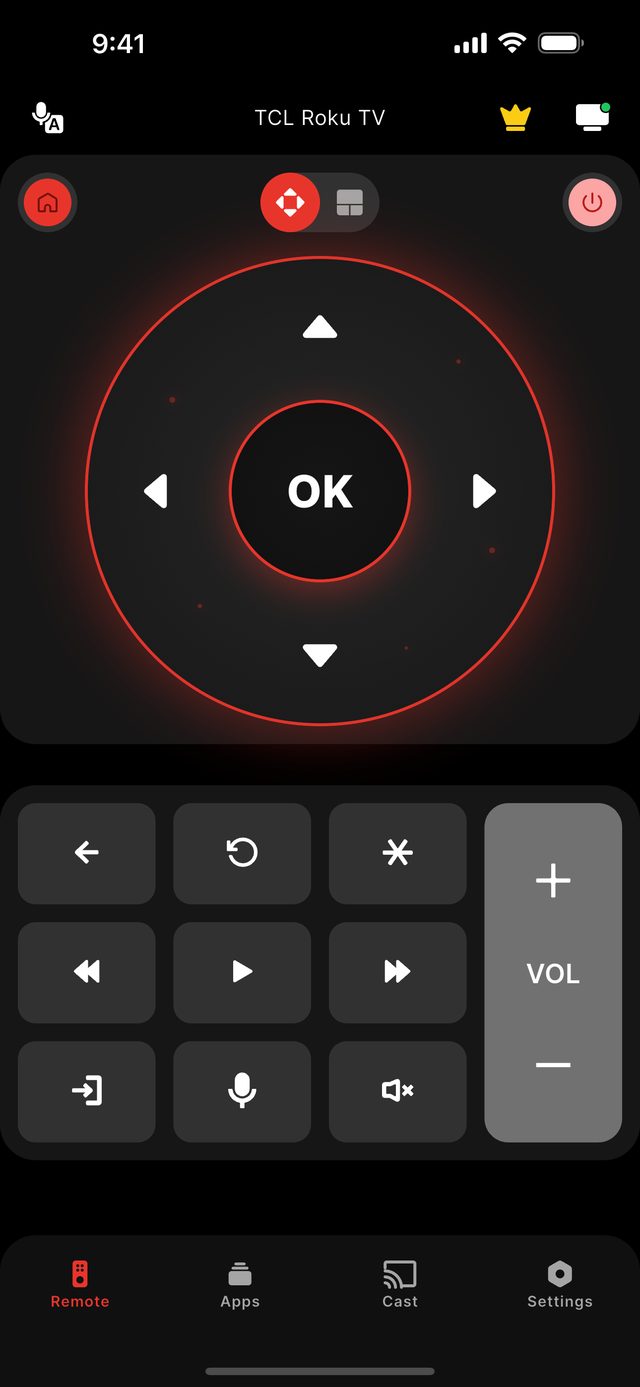
Yes — a TCL Roku TV can be run from a phone over Wi-Fi, and it is the simplest TCL to connect. Install Remote for TCL TV, put the phone on the same Wi-Fi network as the television, and pick the set from the list the app finds. A TCL Roku TV asks for no code. If the TV does not appear or refuses the connection, one setting is almost always the reason: Settings → System → Advanced system settings → External control → Control by mobile apps must be set to Enabled.
TCL sells three different smart platforms under one logo, which is why the question "which remote app works with my TCL" has more than one answer. The 3-Series, 4-Series, 5-Series and 6-Series are Roku TVs; the Q-Class and most of the S-Class run Google TV; and there is a separate TCL Fire TV line. Each speaks a different language to a phone. This page is about the Roku family only — if your home screen shows the purple Roku grid of channel tiles, you are in the right place.
On a Roku TV the television itself decides whether phones on the network may control it. That is the switch called Control by mobile apps. In our own connection data for TCL Roku TVs, that switch being turned off is the leading reason a connection fails — roughly four in ten failed attempts, in a small sample — level with ordinary dropped sessions. It is not a fault and it is not the app: it is a privacy setting, and flipping it takes one visit to the menu with any working remote or the buttons on the set.
Once connected, the app reconnects on its own every time you open it. There is nothing to sign in to and nothing leaves your home network: the phone talks to the television directly.
Not sure which model you own? Start with the TCL platform guide, or read what the app does on the features page.
The facts for this model family
Which TCL is a Roku TV — and what each family needs from your phone
| TCL line | Platform | First connection | Voice from phone |
|---|---|---|---|
| 3-Series / 4-Series | Roku TV | No code | No |
| 5-Series / 6-Series | Roku TV | No code | No |
| S-Class (entry 4K) | Roku TV on some tiers, Google TV on others | No code on Roku tiers · 6-digit code on Google TV tiers | Google TV tiers only |
| Q-Class (QLED / Mini-LED) | Google TV | 6-digit code on screen | Yes |
| TCL Fire TV models | Fire TV | 4-digit code on screen | No |
- TCL lines on this platform
- 3-Series, 4-Series, 5-Series, 6-Series, and the Roku tiers of the S-Class
- Pairing
- None — a TCL Roku TV shows no code
- The setting that blocks phones
- Settings → System → Advanced system settings → External control → Control by mobile apps
- Most common failure we see
- That setting switched off — roughly four in ten failed connections on TCL Roku TVs (small sample)
- Voice search from the phone
- Not available — Roku TVs do not accept voice from third-party apps
- Buttons on the set
- A power button plus a separate recessed RESET pinhole near the HDMI and antenna ports
Step by step
Step by step: TCL Roku TV Remote App.
Each step takes seconds. No account is needed — only your phone, the same Wi-Fi as the TV, and a code if your model shows one.
-
Confirm it is a Roku TV
Look at the home screen: a Roku TV shows a grid of channel tiles with the Roku name in the corner. The badge on the bezel and the box say "Roku TV" as well.
-
Allow phone control on the TV
Open Settings → System → Advanced system settings → External control → Control by mobile apps and choose Enabled. Disabled blocks every phone on the network.
-
Put the phone on the same Wi-Fi
The phone and the television must be on the same home network. A guest network or mobile data will not see the TV.
-
Open the app and pick the TV
Remote for TCL TV lists the sets it finds. Tap your TCL Roku TV — it connects straight away, with nothing to type.
Common questions
TCL Roku TV Remote App — your questions answered.
Does a TCL Roku TV need a pairing code for the remote app?
The app cannot find my TCL Roku TV — what should I check first?
Is the TCL Roku TV remote app free?
Can I use voice search on a TCL Roku TV from my phone?
How do I tell a TCL Roku TV from a TCL Google TV?
Get the app
Put your TCL TV remote on your phone.
Remote for TCL TV finds your TV on Wi-Fi and connects the way your model expects. Roku TV models connect without any code. Google TV and Android TV models show a 6-digit code the first time you connect; Fire TV Edition sets show a 4-digit code. Navigation, volume and channels are free; Premium adds Power, Home and Back.

iPhone version: in App Store review — available on Google Play now.
An independent app by Auxility, Inc. Not affiliated with, endorsed by, or sponsored by TCL. TCL is a trademark of TCL Technology Group Corporation, used only to indicate device compatibility. Roku is a trademark of Roku, Inc.; Google TV and Android TV are trademarks of Google LLC; Fire TV is a trademark of Amazon.com, Inc.
Keep exploring