
TURN ON A TCL TV WITHOUT THE REMOTE
How to Turn On a TCL TV Without the Remote
Every TCL has a power button on the set. Find it, avoid the pinhole next to it, and let your phone do the rest.
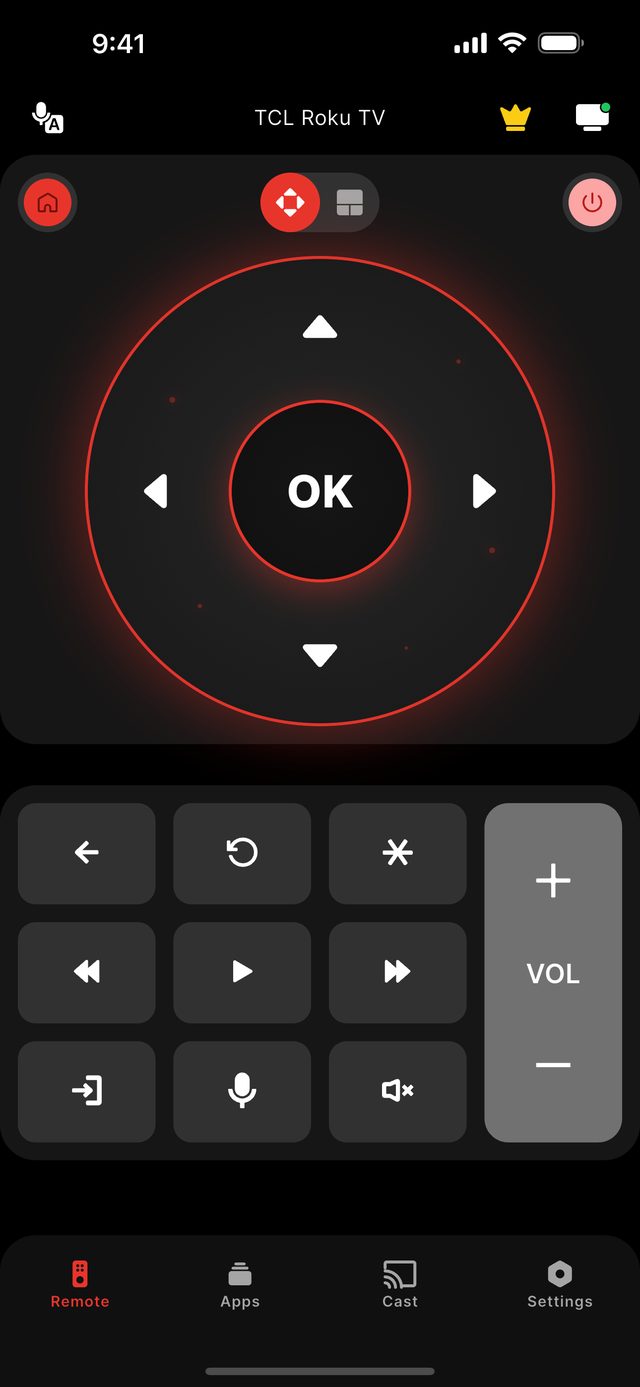
To turn on a TCL TV without the remote, press the power button on the television itself. On TCL Roku TV models it is under the logo or on the lower rear, with a recessed pinhole near it by the HDMI and antenna ports; on Q-Class and S-Class sets it is under the TCL logo or on the rear; on TCL Fire TV models it is on the rear or bottom-centre. Do not press the small recessed RESET pinhole beside it — that erases the TV. Once the set is on and on Wi-Fi, a phone with Remote for TCL TV replaces the remote for everything else.
The button is the reliable answer, and it is worth knowing why. A phone reaches a TCL over your home Wi-Fi, so it can only talk to a television that is powered and on the network. A set that is fully off is, from the network's point of view, simply not there. The Power button in the app is a Premium feature that works for a TV the phone is already connected to; we do not promise it will wake a TCL from a cold, unplugged-style off, because that depends on the TV staying on the network while it sleeps.
The detail that catches people out is on the Roku models. Next to the power button, down by the connectors, there is a recessed pinhole labelled RESET. In the dark the two feel alike and they are not interchangeable: holding the pinhole returns the television to factory state. TCL itself tells owners to check the manual for the exact model, because the power button turns up under the logo on some sets and on the rear of others.
If the remote is gone for good and the TV is also off Wi-Fi, TCL documents no remote-free route into the settings menu. Three paths work in practice: a wired Ethernet cable, which gets a set through setup with no Wi-Fi password; a USB keyboard plugged into the TV; and T-Link, TCL's name for HDMI-CEC, which lets another device's remote steer the television on Google TV models.
Not sure which model you own? Start with the TCL platform guide, or read what the app does on the features page.
The facts for this model family
Where the power button is on each TCL line — and what sits next to it
| TCL line | Platform | Power button | Watch out for |
|---|---|---|---|
| 3-Series / 4-Series | Roku TV | Under the logo or lower rear | Recessed RESET pinhole near it, by the ports |
| 5-Series / 6-Series | Roku TV | Under the logo or lower rear | Recessed RESET pinhole near it, by the ports |
| S-Class (entry 4K) | Roku TV or Google TV | Under the TCL logo or on the rear | Position changes between models — check the manual |
| Q-Class (QLED / Mini-LED) | Google TV | Under the TCL logo or on the rear | Position changes between models — check the manual |
| TCL Fire TV models | Fire TV | Rear or bottom-centre | Varies by model |
- Power button, TCL Roku TV (3/4/5/6-Series)
- Under the logo or on the lower rear — a RESET pinhole sits near it by the HDMI and antenna connectors
- Power button, Q-Class and S-Class
- Under the TCL logo or on the rear, varying by model
- Power button, TCL Fire TV
- Rear or bottom-centre of the frame
- The button not to press
- The recessed RESET pinhole — it restores factory settings
- No-remote route into Settings
- None documented by TCL — use Ethernet, a USB keyboard, or T-Link (HDMI-CEC)
- Power from the phone
- Premium, and only for a TV already on Wi-Fi and connected to the app
Step by step
Step by step: Turn On a TCL TV Without the Remote.
Each step takes seconds. No account is needed — only your phone, the same Wi-Fi as the TV, and a code if your model shows one.
-
Find the power button on the set
Run a hand along the bottom edge under the TCL logo, then the lower rear near the HDMI ports. Press it once and wait for the screen to wake.
-
Leave the RESET pinhole alone
The small recessed hole near the connectors on Roku models is not a power switch. Holding it erases the TV's settings and accounts.
-
Get the TV onto Wi-Fi
If the set was already on your network, skip this. If not, plug in an Ethernet cable or a USB keyboard to finish network setup without a remote.
-
Connect your phone
Open Remote for TCL TV on the same Wi-Fi and tap the TV. Roku models connect with no code; Google TV and Android TV show a 6-digit code; Fire TV shows a 4-digit code.
-
Use the phone as the remote
Arrows, OK, volume, channels and the number pad are free. Power, Home and Back are Premium and start with a 3-day trial.
Common questions
Turn On a TCL TV Without the Remote — your questions answered.
Where is the power button on a TCL Roku TV?
What is the small hole next to the TCL power button?
Can my phone turn on a TCL TV that is completely off?
How do I connect a TCL TV to Wi-Fi with no remote?
Is turning the TV off from the app free?
Get the app
Put your TCL TV remote on your phone.
Remote for TCL TV finds your TV on Wi-Fi and connects the way your model expects. Roku TV models connect without any code. Google TV and Android TV models show a 6-digit code the first time you connect; Fire TV Edition sets show a 4-digit code. Navigation, volume and channels are free; Premium adds Power, Home and Back.

iPhone version: in App Store review — available on Google Play now.
An independent app by Auxility, Inc. Not affiliated with, endorsed by, or sponsored by TCL. TCL is a trademark of TCL Technology Group Corporation, used only to indicate device compatibility. Roku is a trademark of Roku, Inc.; Google TV and Android TV are trademarks of Google LLC; Fire TV is a trademark of Amazon.com, Inc.
Keep exploring